GUI Elements
Common GUI elements used throughout SoundDesk — hints, channel strip drag-and-drop, insert options, sliders, number boxes, and the channel matrix menu.
Hints
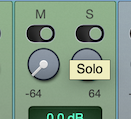
Most GUI elements provide hints or additional information about them in the form of hints.
You simply leave the mouse pointer over an element and wait for the hint text to appear.
Channel Strip Drag-and-Drop
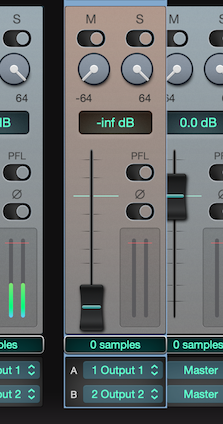
Channel strips in SoundDesk can be rearranged by drag-and-drop actions.
Insert Options
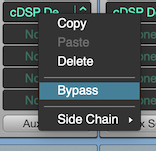
ctrl+click (right click) on any insert will display options available for that insert.
cmd+click on an insert will toggle bypass on and off.
Drag-and-drop the insert to move it to a new place, or drag-and-drop while pressing the alt key to copy it (including settings).
Note: not all inserts support Side Chain, only the ones that do will have a Side Chain sub-menu.
Sliders
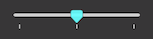

Slider and Pot elements can be sent to the default value with a ⌘+click or with a double-click action.
Number Boxes

When the focus is active, you can type any value into a number box.
Alternatively, you can drag the number (up/down) to increase/decrease the value.
Number boxes are sensitive to the number that you grab within the box, increasing/decreasing at the respective scale.
If a number box has a default value, a double-click action will set it to default.
Channel Matrix Menu
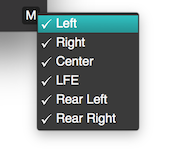
cDSP insert meters have a channel matrix button that loads a menu of available channels.
By selecting/unselecting a channel name, you tell the meter whether it should use that channel in its calculations.
Copyright © 2011 - 2026 LoudLAB. All rights reserved.
|
Products |
Downloads |
Support |
Follow Us |
Copyright © 2026 LoudLAB. All rights reserved. Terms & Conditions | Privacy Policy