Audio Preferences
Audio Preferences sets the input and output devices, sample rate, and buffer size for Sonic Atom, along with channel mapping for both interfaces.
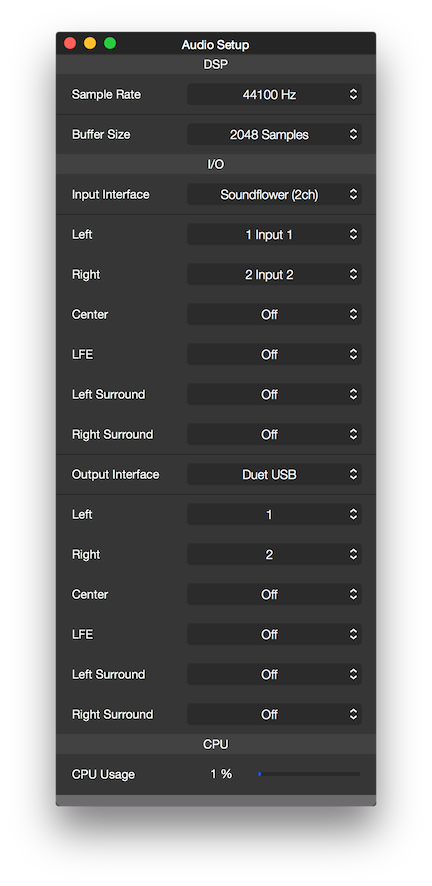
Sample Rate
Sets the hardware interface Sample Rate.
Buffer Size
Sets the number of samples that are sent/received to/from the hardware interface I/O (input/output) at one time.
Please consider using larger Buffer Sizes to reduce CPU usage, if the time delay between input and output is irrelevant.
Input Interface
Sets the hardware interface to use for input.
Left, Right, Center...
Maps the input logical channels Left, Right, Center...
Output Interface
Sets the hardware interface to use for output.
Left, Right, Center...
Maps the output logical channels Left, Right, Center...
Copyright © 2011 - 2026 LoudLAB. All rights reserved.
|
Products |
Downloads |
Support |
Follow Us |
Copyright © 2026 LoudLAB. All rights reserved. Terms & Conditions | Privacy Policy