cDSP LEQ Meter
The LEQ Meter provides loudness information for different Leq weightings and Analysis Times. The meter operates continuously until Reset or Pause is pressed.
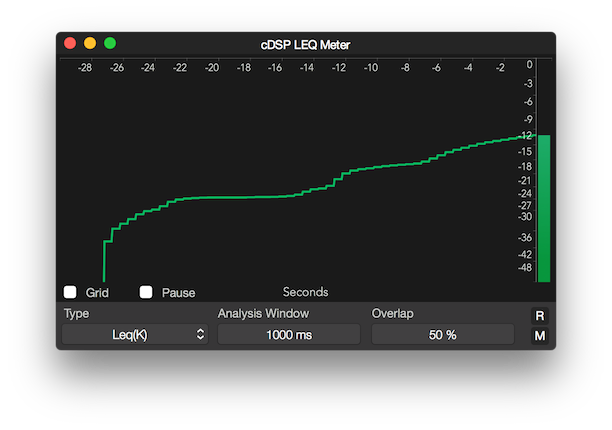
Parameters
Type
The Type concerns the frequency weighting used to calculate the Leq.
Options:
- Leq(K) (ITU-R BS.1770-4)
- Leq(RLB) (Revised Low-frequency B-weighting)
- Leq(M) (ISO 21727)
- Leq(A)
- Leq(C)
- Leq(Z) (Flat Weighting)
Analysis Window
The Analysis Window sets the time for each analysis block.
Options:
From 50 to 10000 milliseconds.
Overlap
The Overlap sets the overlap between analysis blocks.
Options:
From 0 (no overlap) to 99 (max overlap).
Reset
Reset meter and clear history.
Copyright © 2011 - 2026 LoudLAB. All rights reserved.
|
Products |
Downloads |
Support |
Follow Us |
Copyright © 2026 LoudLAB. All rights reserved. Terms & Conditions | Privacy Policy