GUI Elements
Common GUI elements used throughout Sonic Atom — sliders, number boxes, channel matrix, window link, colour scale, and the graph export menu.
Sliders
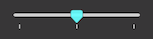

All Sliders can be sent to the default value by ⌘+Clicking the element.
Number Boxes

When the focus is active, you can type any value to number boxes.
Alternatively, you can drag the number (up/down or right/left) to increase/decrease the value.
Note: the number box is sensitive to the number that you grab within the box, increasing/decreasing at the respective scale.
Channel Matrix Menu
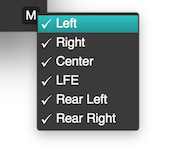
All meters have a channel matrix button that loads a menu of available channels.
By selecting/unselecting a channel name, you tell the meter whether it should use that channel in its calculations.
Window Link Option (Headless v2 Windows Only)

When active, windows will behave as one for moving and focus actions.
Also see: General Preferences
Color Scale Options

When present, the user can click it to open the colour options for the meter.
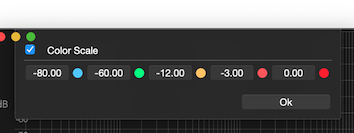
Color options will depend on the meter but the user can always change the transition values and the actual colour by clicking within the colour circle.
When not active, the default solid colour will be used to draw the graph.
Export Menu
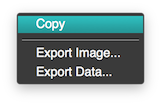
Right-click on any of the meters graphs will display a list of available export options.
Note: Images will export as PNG files and Data will export as CSV tables. The copy option will copy the image to the clipboard.
Copyright © 2011 - 2026 LoudLAB. All rights reserved.
|
Products |
Downloads |
Support |
Follow Us |
Copyright © 2026 LoudLAB. All rights reserved. Terms & Conditions | Privacy Policy