Using SoundDesk to capture audio from other applications

Starting with macOS 14.5 or later, you can directly stream audio from other applications to the All-in-One.
If you’re seeking a method to accomplish this on earlier OS versions, refer to: Using SoundDesk as a macOS audio mixer and router.
Note: This functionality requires your permission to capture system audio. A dialog will appear when required.
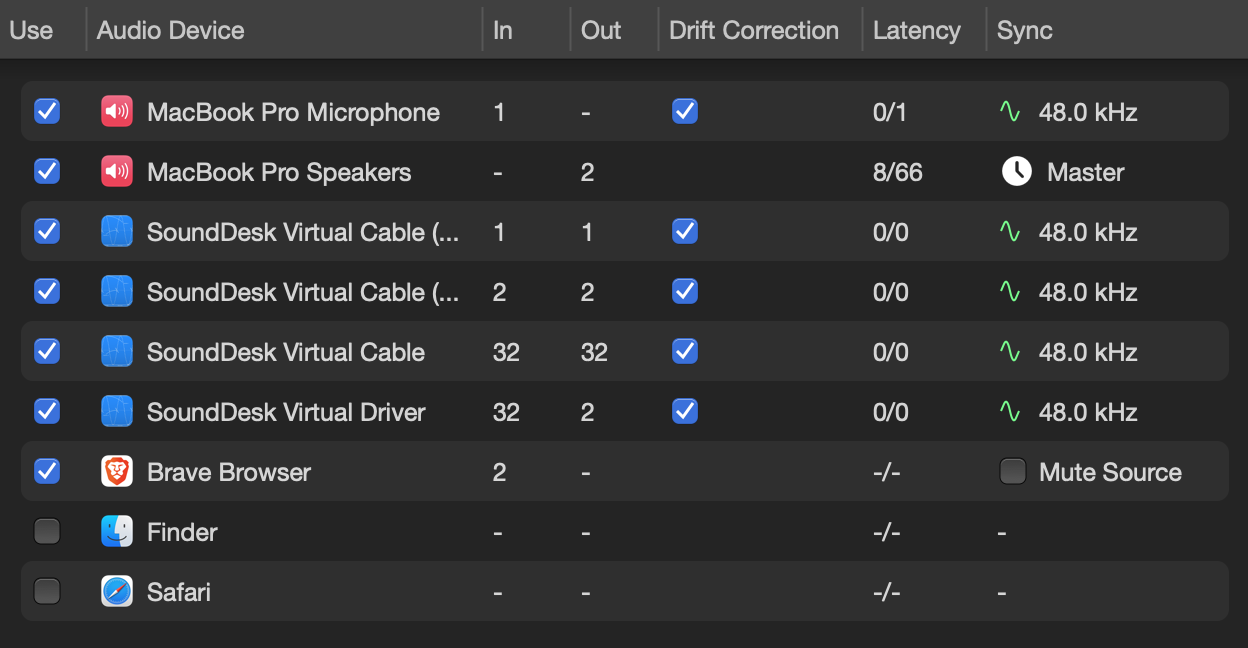
Navigate to the All-in-One Setup in the Preferences window. You’ll notice that the devices list also includes a list of open applications. If the application you’re looking for isn’t listed, open it and ensure it’s playing audio.
Once the device appears in the list, we tick the Use option to add it as a virtual device. We can also mute the original audio by using the Mute Source option.
Ensure that the input interface in SoundDesk is the All-in-One Device. Then, we can easily navigate to any channel on our desk and load the application stream, just as we would on any other device.
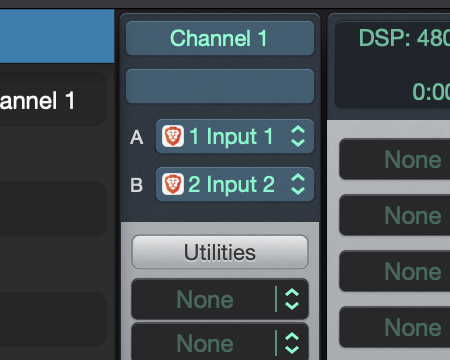
That's it, we’ve got inter-app audio capturing ready to go!
Have a Great Day!
LoudLAB