Fluctus 4 - Batch Export

Fluctus 4 - Batch Export
Fluctus and Fluctus Expert batch export using markers.
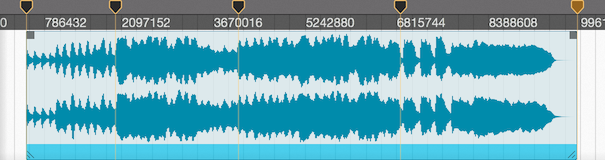
When the batch export option is active and two or more Markers are in place, Fluctus will export audio between Markers.
Start by creating markers at the limits of each section that you intend to export and optionally name them.
Now open the [File -> Export] menubar option and tick the Batch Export Using Markers.
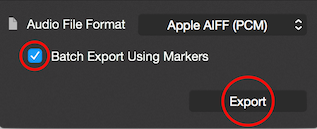
Setup any other preferences and click Export.
Each section will now be exported into a unique file, numbered in order and named after the first Marker of the section.