LoudLAB 3 Real-Time Metering Suite

LoudLAB 3 Real-Time Metering Suite
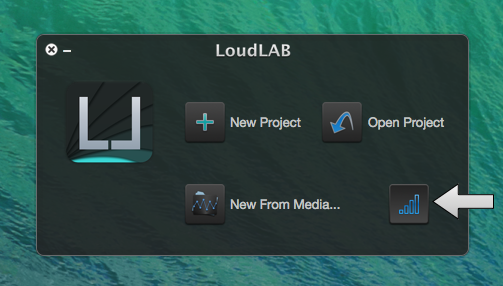
On Startup, LoudLAB 3 presents options to open the RT Metering Suite and to open/create projects.
We can either open the metering suite by pressing the welcome screen button (see arrow above), or by selecting it on the Tools menu.
If we have an open LoudLAB project window, the RT Metering Suite can be found on the File menu.
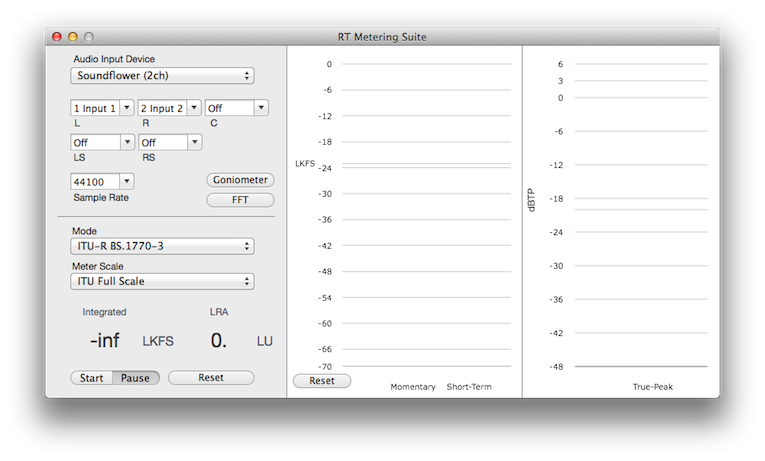
Once loaded, we can start by setting the signal input, in this case, SoundFlower (2ch) input 1 and 2 (stereo), at 44100 Hz (sample rate).
Within this section, we also have the Goniometer and Spectrograph buttons to open the respective meters.
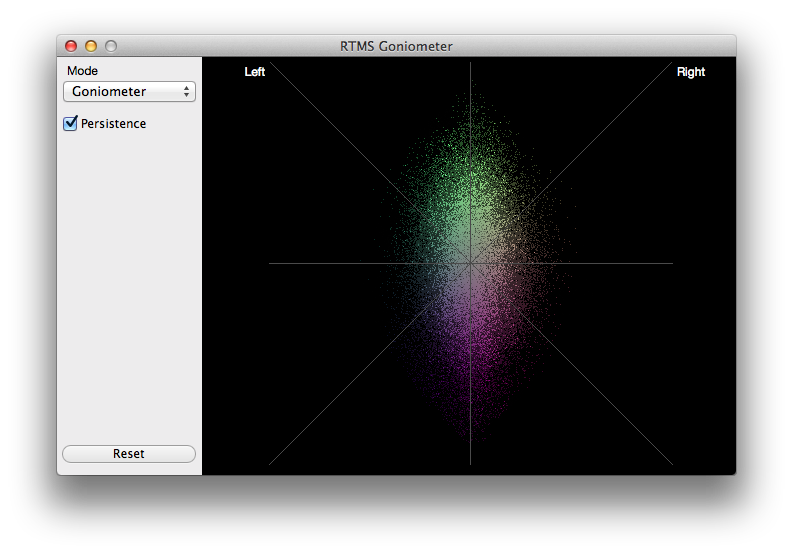
The Goniometer presents us with two modes: Standard Goniometer and Goniometer + Phase Correlation.
The Goniometer + Phase Correlation meter represents the stereo positioning on the horizontal axis and the Phase Correlation on the vertical one (phase -> top half, anti-phase -> bottom half).
We also have a Persistence toggle, that changes the refresh rate depending on the signal dynamic range, giving us more time to analyse the most relevant bits of the signal.
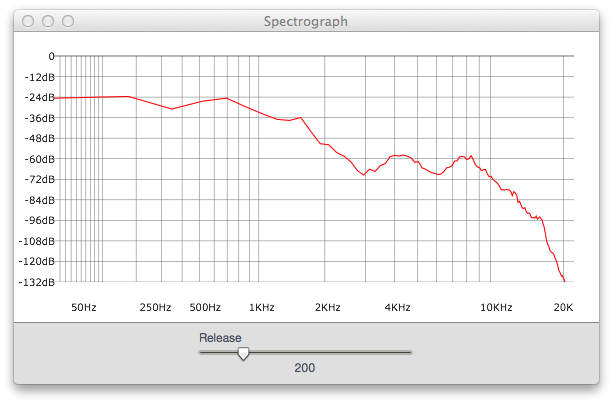
The Spectrograph is very straightforward, with a single control that changes the speed at which we release the meter state.
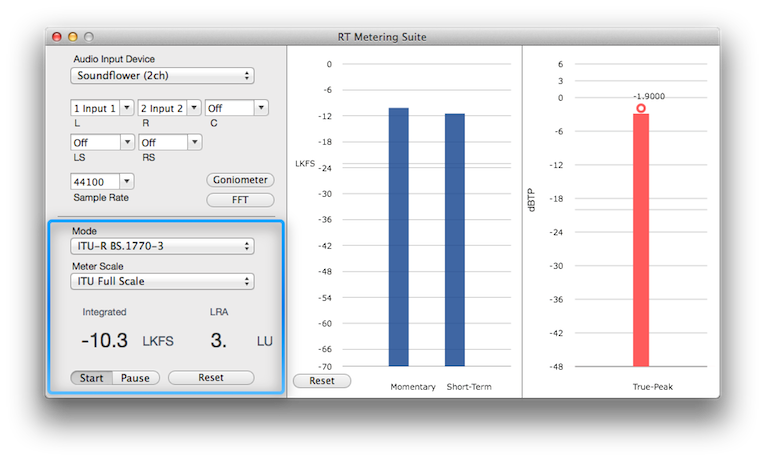
Now, if we go back to the main window, we will see the complete loudness metering suite straight from there:
- Momentary Loudness (400ms time window in LUFS/LKFS)
- Short-Term Loudness (3000ms time window in LUFS/LKFS)
- Integrated Loudness (calculated from the moment Start is pressed until we press Reset - excluding Paused bits)
- LRA or Loudness Range (calculated at the same time as the Integrated Loudness)
- True-Peak Meter (also known as intersample peak meter)
We can also change Modes (e.g. EBU R-128, ITU-R BS.1770 and other standards) and the metering scales represented by the Momentary and Short-Term meters.
Have a Great Day!