Fluctus 4 - Recording

Fluctus 4 - Recording
Fluctus and Fluctus Expert have a new recording system that aims to be more flexible than before.
It lets you record in mono, stereo or do a multi-track recording.
First select the input audio interface as usual.
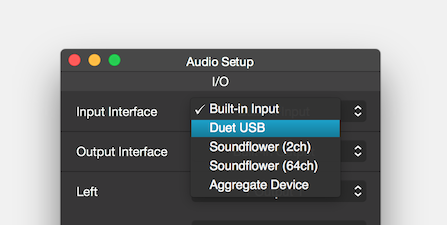
The new recording options will now be available on the transport bar.
A popup menu will offer an array of mono and stereo configurations (depending on your audio interface), plus a multi-mono option:
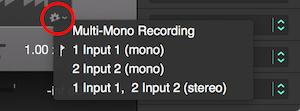
Select a mono or stereo configuration to record a new region, or select the multi-mono option and record to individual mono regions simultaneously.
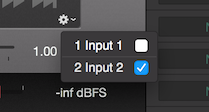
The multi-mono recording will work perfectly with the channel assignment option on the region inspector.