Plug Chain
The Plug Chain processes the project audio through a chain of plugins before playback or export. Add, reorder, or bypass plugins from the chain. Show or hide it from the Project Preferences window or the FX menu.
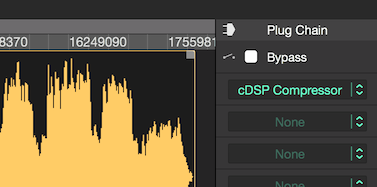
Selecting and Opening Plugins
Clicking the arrows at the Insert Box, will expand the plugin menu which lists the installed Audio Units and the included cDSP Inserts.
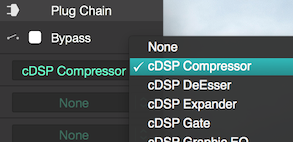
Once a plugin is selected, the drop-down menu will close and its name will appear on the Insert Box.
Active Insert Boxes allow you to click on the plugin name to open its window.
Then, just tweak the controls and repeat the procedure up to 32 Plugins per project.
Copy or Move
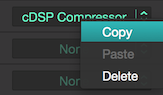
Plugins can be moved between Insert Boxes by drag-and-drop, or copied by pressing the Option Key (Alt) while dragging them (or from the context menu as above).
Global Bypass
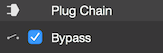
The Plug Chain inserts can be globally bypassed by ticking the box above.
Next Steps
- Validate and enable plugins. The Plugin Manager manages which AU plugins appear in the insert menu.
- Try the built-in cDSP inserts. Fluctus ships with EQs, dynamics, meters, and more — start with the Graphic EQ.
- Automate the post-chain output. Automation Layer rides master gain or balance over time.
- Toggle the chain visibility. Project Preferences shows or hides the Plug Chain panel.
Copyright © 2011 - 2026 LoudLAB. All rights reserved.
|
Products |
Downloads |
Support |
Follow Us |
Copyright © 2026 LoudLAB. All rights reserved. Terms & Conditions | Privacy Policy